Add products and services, prices, GST, stock and barcodes.
Step-by-step
- Items list
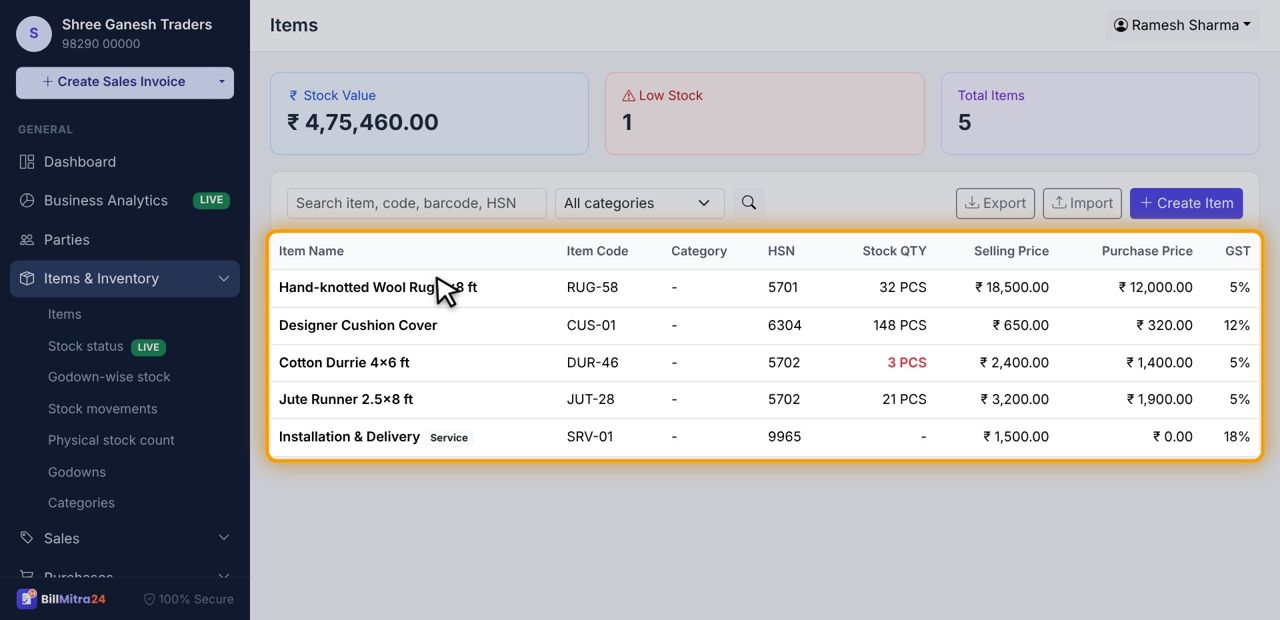
Items are the products and services you sell or buy. The Items page shows current stock, low stock items and the total stock value.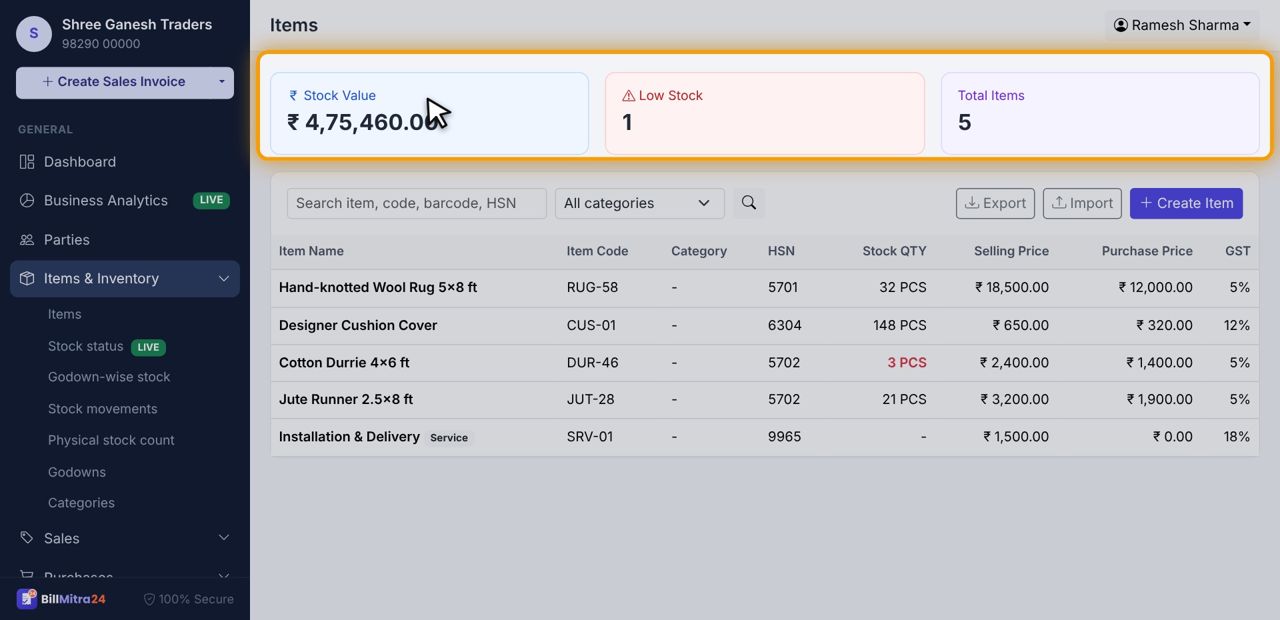
- Create an item
Click Create Item. Enter the item name, choose product or service, the unit and item code.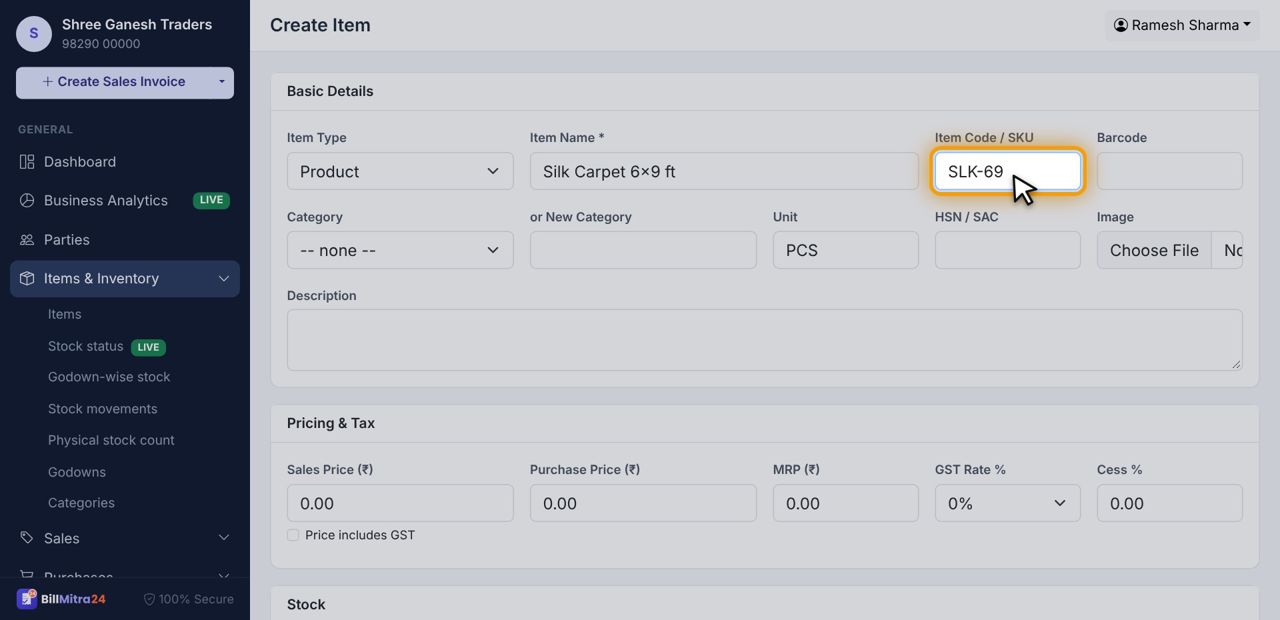
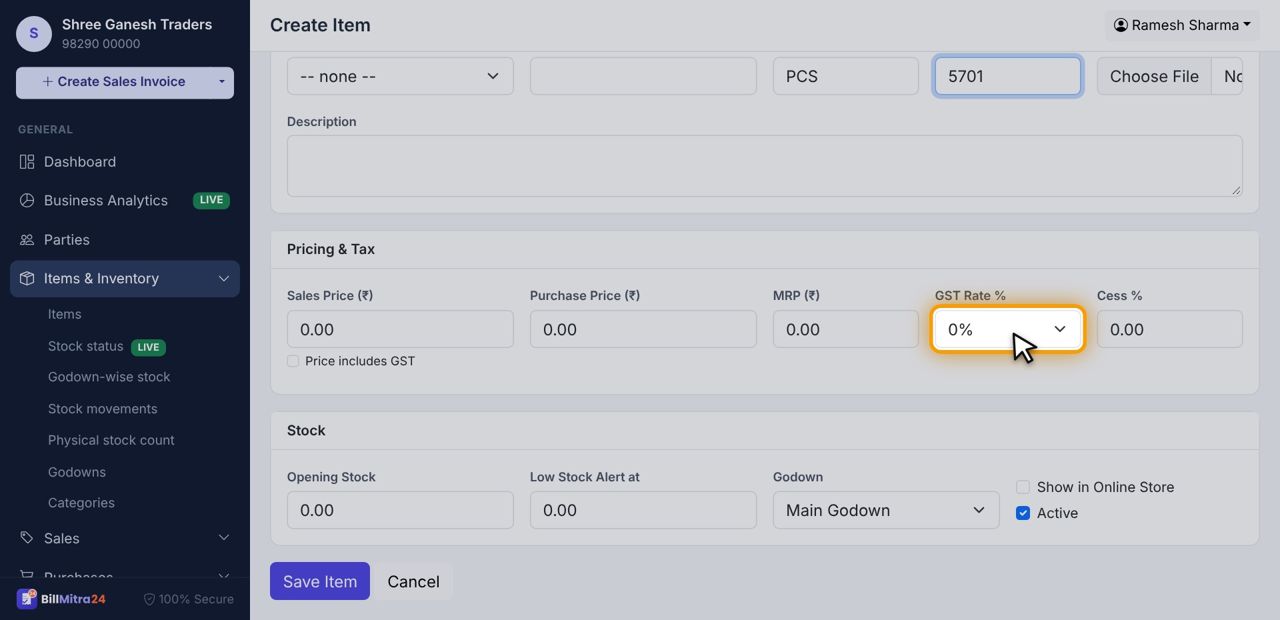
- Enter the HSN code and GST rate. Tax is calculated automatically on every invoice.
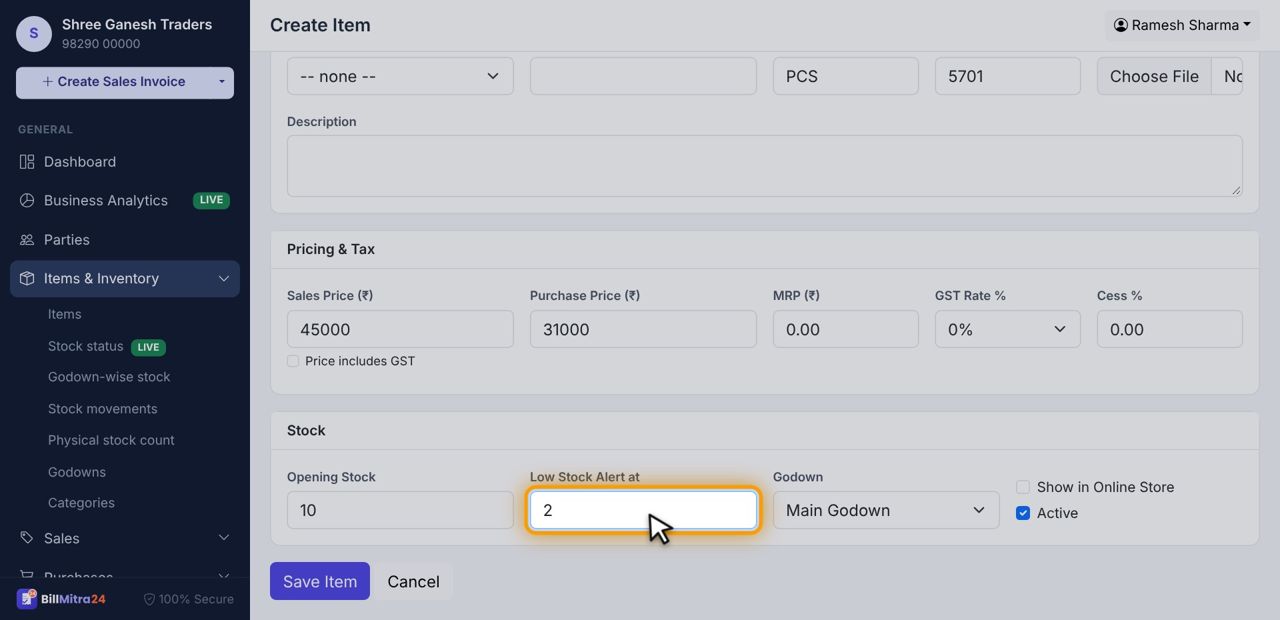
- Enter the sales price, purchase price and MRP. Tick Inclusive of tax if your selling price already includes GST.
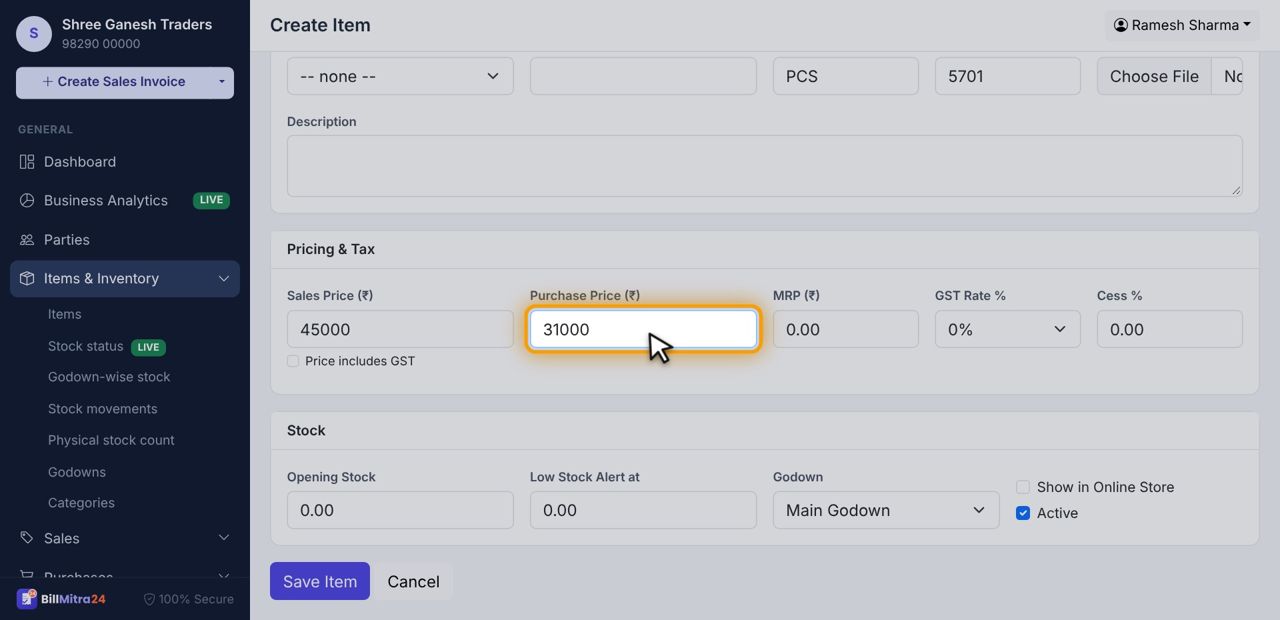
- Set the opening stock, the low stock alert level and the godown. Add a barcode to scan the item at billing time. Then click Save.
- Stock updates automatically with every sale, purchase and return. Use stock adjustment for damage or counting differences, and import many items at once from Excel.
Tips
- Services (like installation) have no stock.
- Low-stock items also appear on the dashboard.