GSTR-1, GSTR-3B, profit & loss, outstanding and stock reports with Excel export.
Step-by-step
- All reports
Open Reports to see all business and GST reports in one place: sales and purchase registers, party ledger, profit and loss, stock summary and more.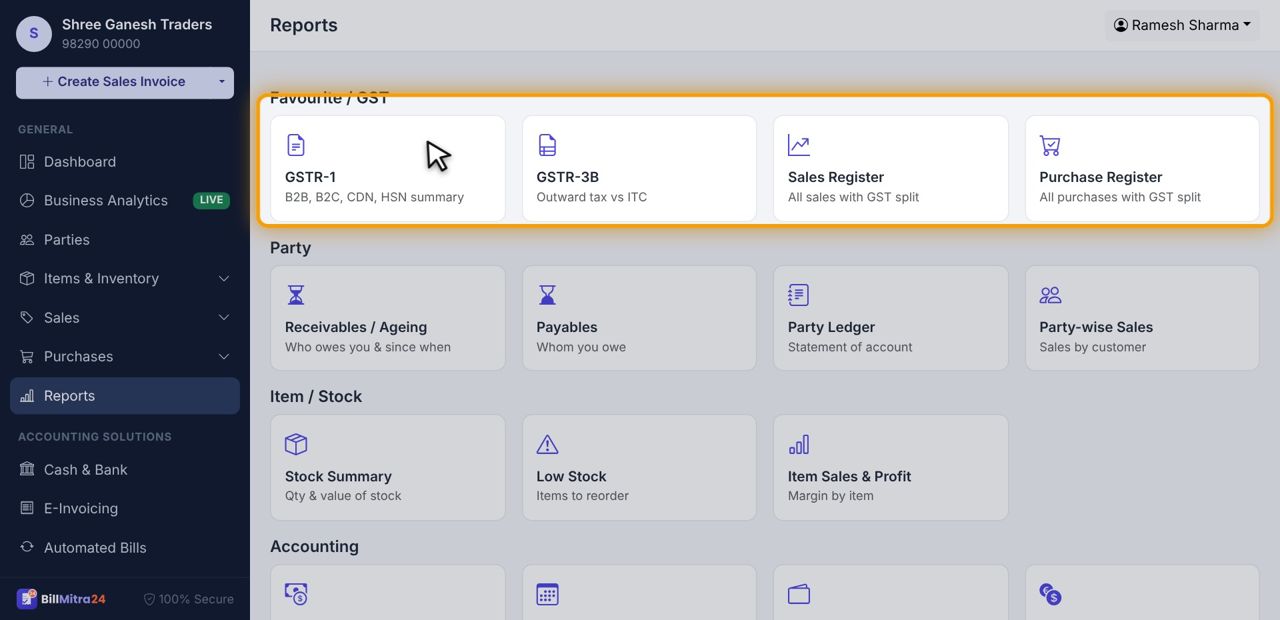
- GSTR-1
For GST filing open GSTR-1. It lists B2B invoices with GSTIN, B2C sales, credit notes and the HSN summary for the selected month.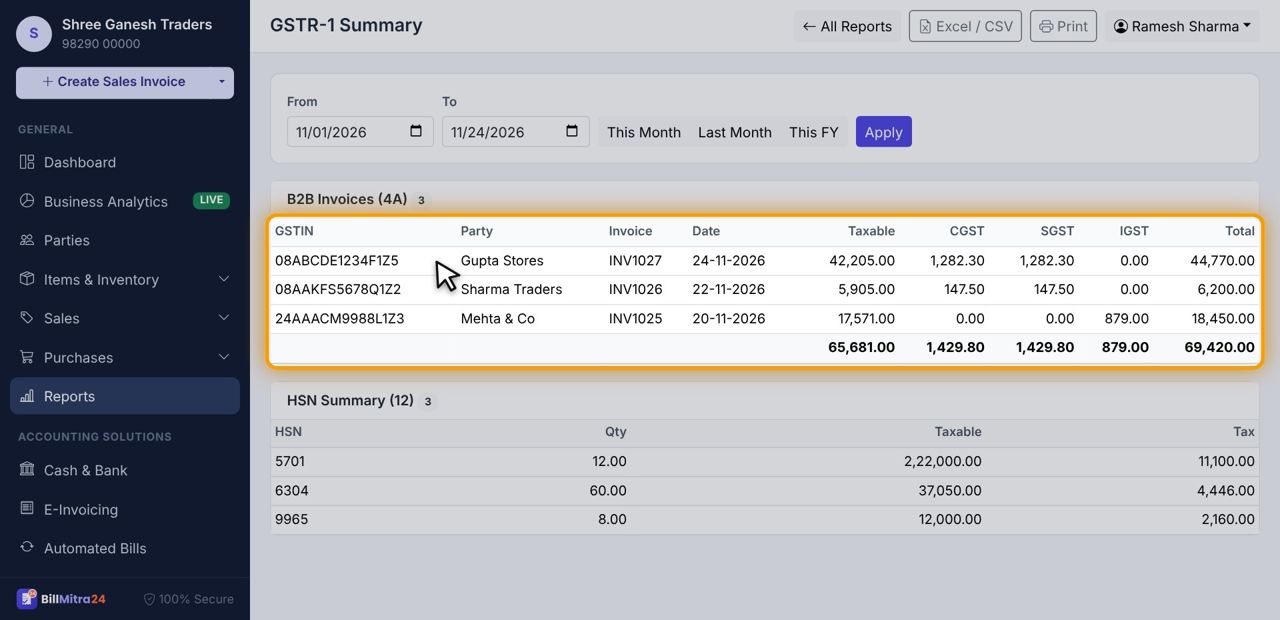
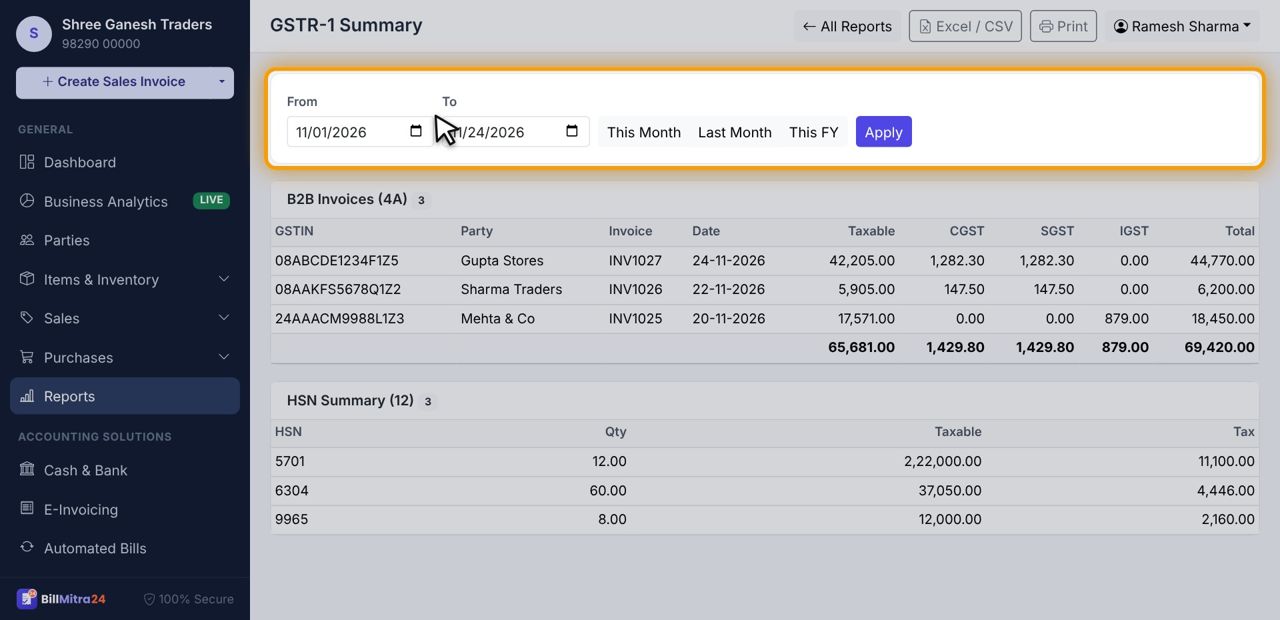
- Choose the date range at the top and click Export to download the report in Excel for your CA. GSTR-3B shows output tax, input tax credit and net tax payable.
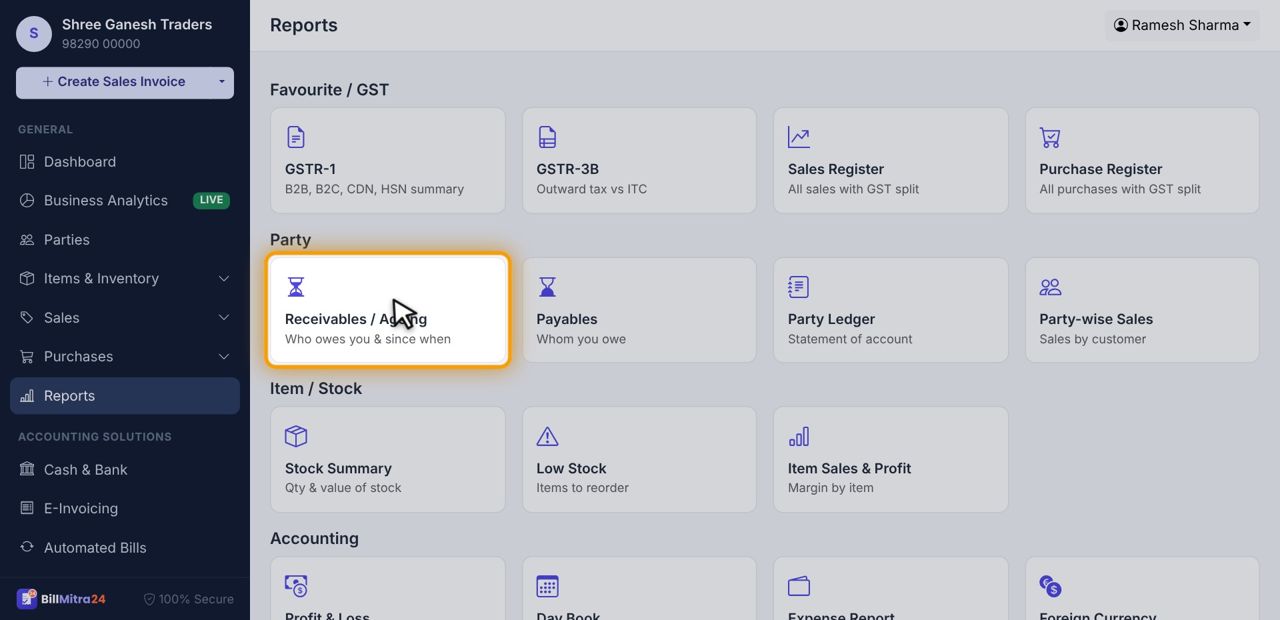
- The receivables ageing report shows who owes you money and for how many days, with a WhatsApp reminder button for each party.
Tips
- E-Invoicing: download the NIC JSON for B2B invoices and save IRN / Ack No.
- All reports can be exported to Excel (CSV).