Renew or upgrade with Razorpay and connect other software with API keys and webhooks.
Step-by-step
- My plan
My Plan shows your current plan, expiry date, days left and usage of users, invoices and items. You get reminder emails before the plan expires.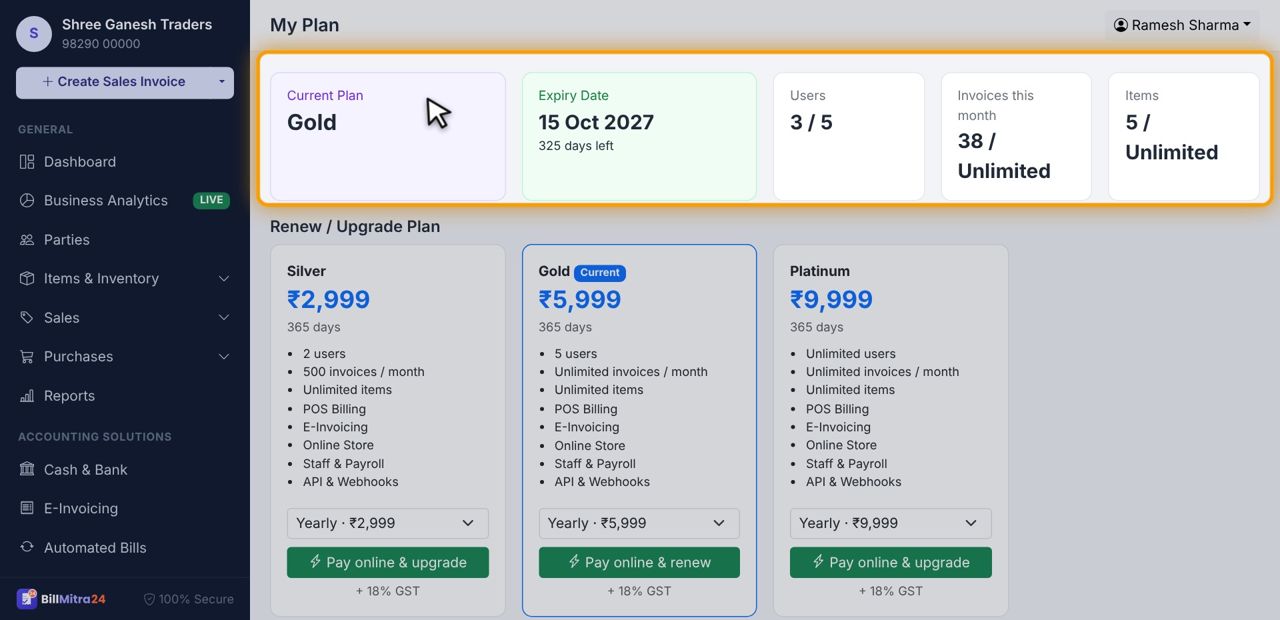
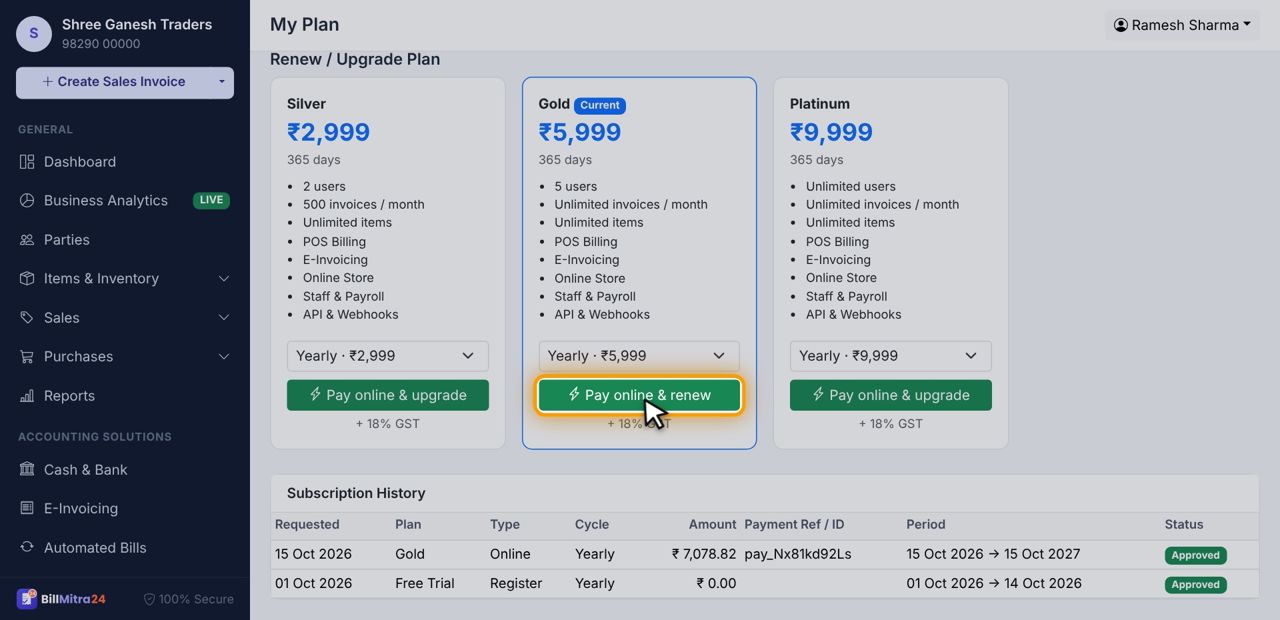
- To renew or upgrade, choose monthly or yearly and click Pay online. Pay by UPI, card or net banking through Razorpay, and the plan is activated instantly with a receipt by email.
- API keys
To connect your other software like Shopify, Tally or a mobile app, open Settings, API and Integrations. Give the key a name, choose read only or read and write, and click Generate key.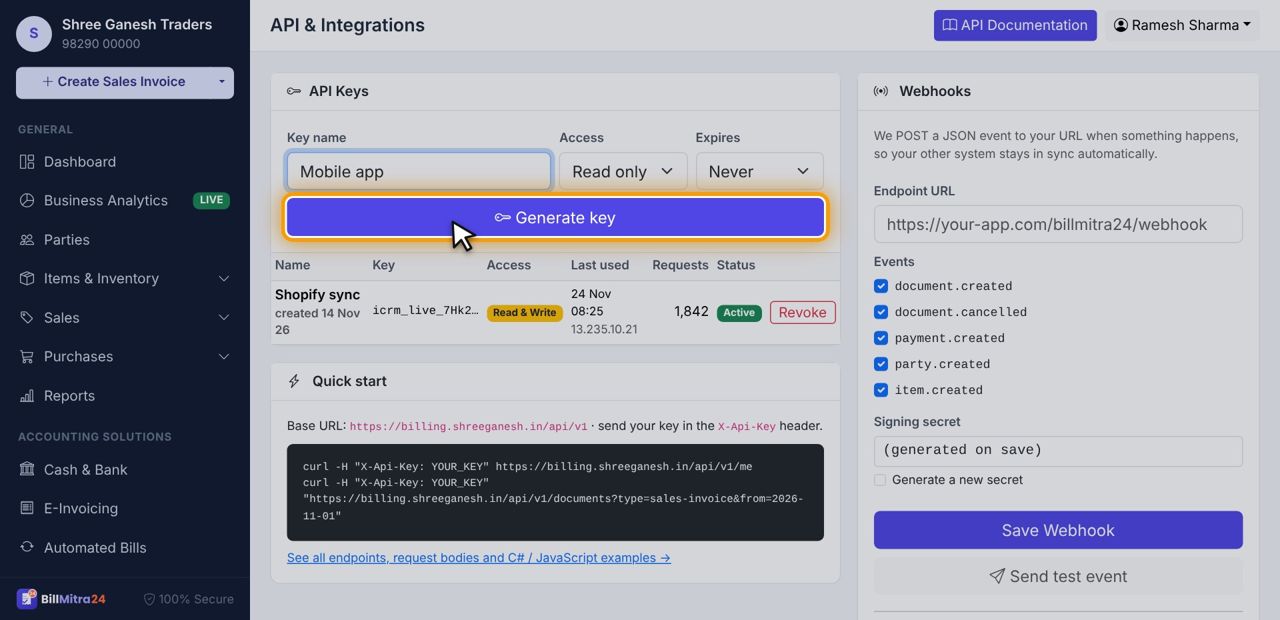
- Copy the key. It is shown only once. Send it in the X-Api-Key header to read and create parties, items, invoices and payments.
- Webhooks
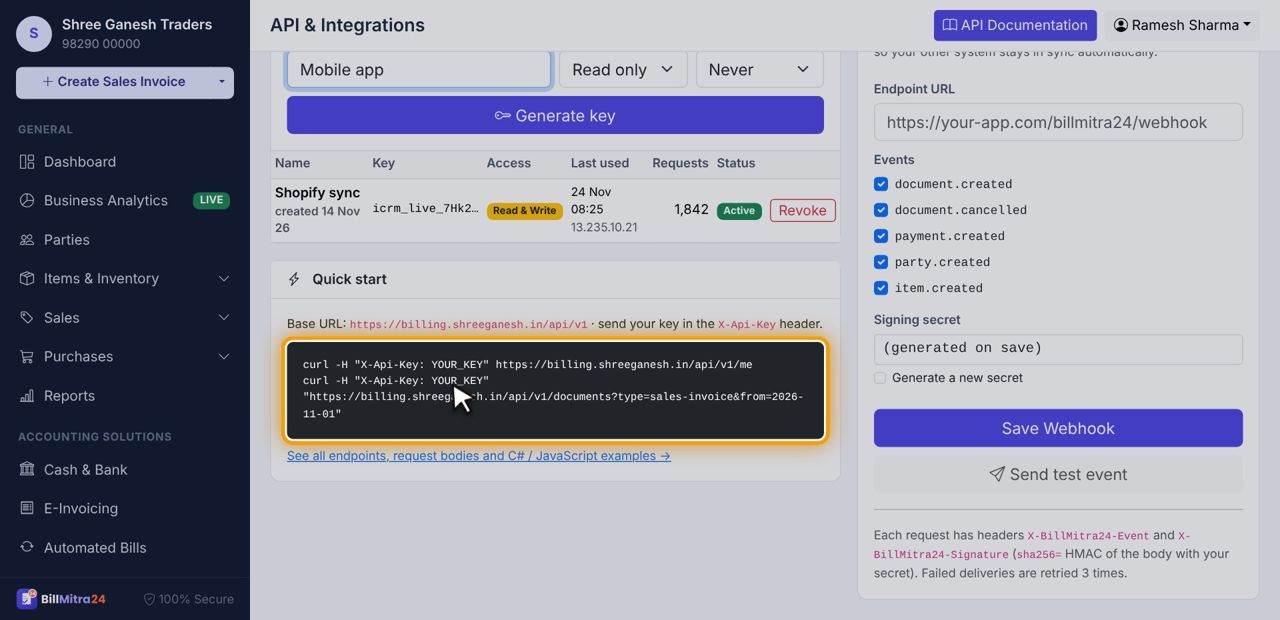
With webhooks, BillMitra24 sends an event to your URL whenever an invoice, payment, party or item is created, so your other system stays in sync.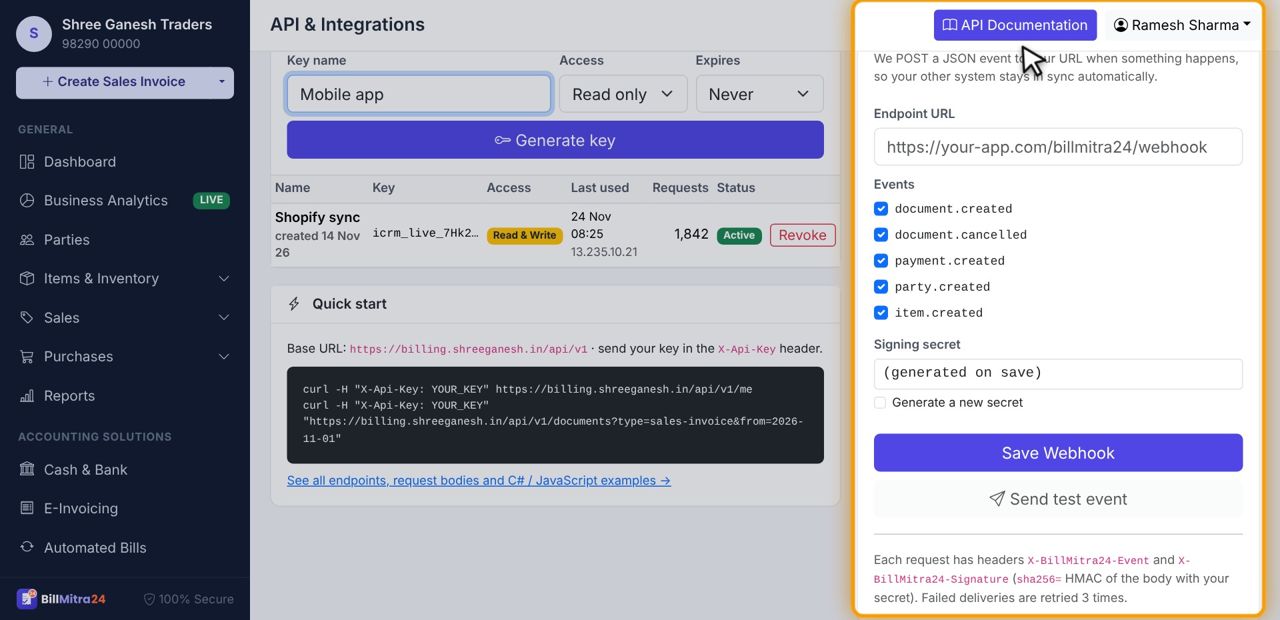
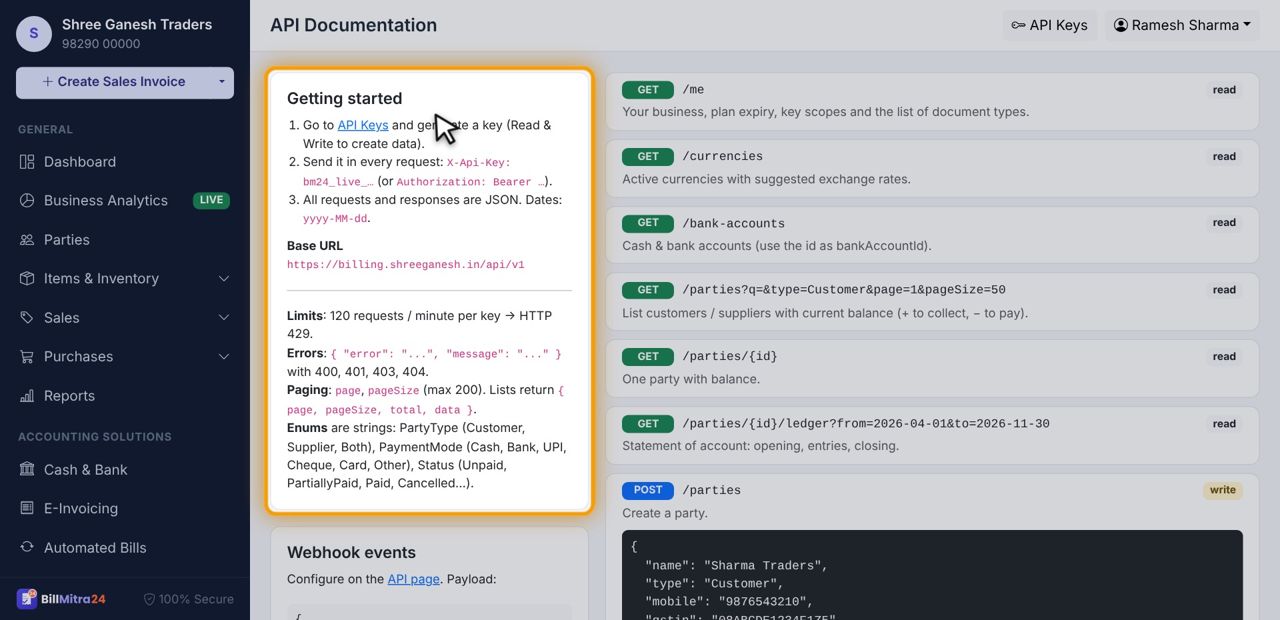
- Open API Documentation for every endpoint with request examples in curl, C sharp and JavaScript.
Tips
- API access depends on your plan.
- Revoke a key at any time; apps using it stop working immediately.